


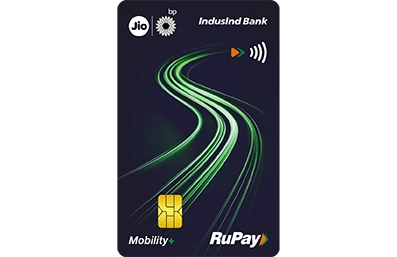

IndusInd Bank Jio-bp Mobility+ Credit Card

Get Platinum Visa Credit Card - IndusInd Bank

IndusInd Bank Jio-bp Mobility+ Credit Card

 More Mobility More Savings

Earn 400 Bonus Smiles after 1st fuel transaction at Jio-bp in first 30 days from card setup by the Bank

Earn 12 Smiles on transaction of INR100 done on Jio-bp

Earn 200 Bonus Smiles on spending INR 4000 on Jio-bp every month

Earn 4000 Bonus Smiles on spending Rs. 2 lacs or more in a card anniversary year


IndusInd Bank Jio-bp Mobility+ Credit Card Rewards


IndusInd Bank Jio-bp Mobility+ Credit Card Benefits

Benefits of Jio-bp Mobility + Credit Card - IndusInd Bank

Make your fuel transaction at any Jio-bp station within 30 days of your Credit Card setup by the Bank and earn 400 Smiles – Our way of Saying, “ Welcome Aboard”

That’s not all, Enjoy a complimentary wildbean cafe coupon worth INR 200 on your first transaction at wildbean cafe within 30 days of Credit Card setup by the Bank.

Pay Now with UPI on your IndusInd Bank Jio-bp Mobility+ Credit Card

Link your IndusInd Bank Jio-bp Mobility+ Credit Card on UPI in Few Steps

Step 1: Open your UPI app* BHIM, PhonePe, Paytm, Google Pay.

Step 2: Select the option "Add Credit Card/Link Credit Card"

Step 3: Select Credit Card Issuer Bank (IndusInd Bank)

Step 4: Select your IndusInd Bank Jio-bp Mobility+ Credit Card

Step 5: Proceed to generate UPI PIN

*(Download the UPI app from Playstore/App Store if you are not registered on any UPI app yet, verify your mobile no. and continue from Step 2 as shared above)

Set UPI Pin

Step 1: Select Generate PIN option > Select IndusInd Bank Jio-bp Mobility+ Credit Card

Step 2: Enter IndusInd Bank Jio-bp Mobility+ Credit Card Details:

  • Last 6 digits

  • Expiry Date

(OTP will be triggered on your registered mobile number)

Step 3: Enter OTP and Set PIN of your choice

Making UPI Payments with your IndusInd Bank Jio-bp Mobility+ Credit Card

  • Scan Merchant QR Code or enter Merchant UPI ID

  • Enter Amount to be paid or pay auto-fetched amount

  • Select IndusInd Bank Jio-bp Mobility+ Credit Card from the list of payment options

  • Enter UPI PIN of your Credit Card & Click Confirm

(Transaction status can be seen in Transaction History of your UPI App)


A. Monthly Milestone – Earn 200 Smiles on spends of INR 4000 or more on Jio-bp ecosystem in a statement cycle.

B. Annual milestone 1 - Earn 2000 Smiles on spends of INR 100000 in a card anniversary year

C. Annual milestone 2 - Earn 2000 Smiles on spends of next INR 100000 in a card anniversary year

Flat tyre, engine trouble, sudden hiccups, plans can go off track, but we won't let you stall. With roadside support that’s always on, your journey will stay smooth.

1. 24 X 7 toll-free helpline - 18005713981

2. Roadside repair

3. Vehicle towing

4. Emergency assistance

*Roadside assistance service is available in Delhi,  Mumbai, Kolkata, Pune, Chennai, and Bangalore.

Enjoy 1% fuel surcharge waiver across all Jio-bp fuel stations in India.

Please note: There is no fuel surcharge waiver on the fuel on non Jio-bp fuel stations.

Click here to view the Most Important Terms and Conditions

Click here to view the Card Holder's Agreement

IndusInd Bank Jio-bp Mobility + Credit Card is a co‐branded credit card issued by IndusInd Bank in partnership with Reliance BP Mobility Ltd widely known as Jio-bp. There is a revenue sharing arrangement between IndusInd Bank & Reliance BP Mobility Ltd for this co‐branded credit card.

FAQs

  • Can I use my IndusInd Bank Jio-bp Mobility+ Credit Card for online purchases from international merchants?

    Yes, you can use the IndusInd Bank Jio-bp Mobility+ Credit Card for international transactions. However, note that it comes with 3.5% Forex Mark-up. Hence, it is advisable to use it cautiously.

  • How to apply for IndusInd Bank Jio-bp Mobility+ Credit Card?

    To apply for the IndusInd Bank Jio-bp Mobility+ Credit Card, you can visit the IndusInd Bank website or click the ‘Apply Now’ button.
    You can complete the application process online. Simply provide your details, choose a card offer, accept the card terms and do a quick VKYC and you are done.

  • Is there any joining fee and annual fee for IndusInd Bank Jio-bp Mobility+ Credit Card?

    Yes, there is joining fees of INR 499 + GST in case customer does not spend INR 10,000 from 90 days of Credit Card setup.

  • Which are the participating Jio-bp outlets eligible for accelerated smiles?

    Given is the list of participating outlets, click here for details.

  • Are there any rewards for non-UPI transactions on IndusInd Bank Jio-bp Mobility+ Credit Card?

    Yes, even for non-UPI transactions the smiles structure remains the same.

    Spends Category Smiles per INR 100 Spent
    All Jio-bp spends (Petrol, diesel, Castrol lubes, wildbean cafe, Jio-bp Pulse (EV charging) and Jio-bp convenience store) 12
    All spends on Dining, Supermarket & Grocery 5
    All other spends * 2

    *Fuel on Non Jio-bp Fuel Stations/ Insurance/ Government/ Utility/ Rent will not earn any reward points

  • What are the benefits of IndusInd Bank Jio-bp Mobility+ Credit Card?

    This card offers more savings with every spend, giving accelerated reward points on Jio-bp ecosystem. Also additional reward points on dining, supermarket and grocery.

  • Can I get accelerated Smiles on EV charging on IndusInd Bank Jio-bp Mobility+ Credit Card?

    Yes, on Jio-bp Pulse (Ev charging) customer will get 12 Smiles on every INR 100 spent, subject to overall capping of 1200 Smiles.


RuPay Credit Card on UPI with Biometric Authentication

A Simpler and More Secure Way to Pay

RuPay Credit Card on UPI with Biometric Authentication brings a new level of convenience and security to digital payments. Instead of entering a UPI PIN, customers can authenticate UPI payments using the device built-in biometric unlock method, such as fingerprint and face recognition. This helps make payments faster, easier and secure.

  • Fast and convenient payments using fingerprint or face recognition
  • Reduced dependency on remembering and entering UPI PINs
  • Enhanced security with device-based biometric verification
  • Seamless and intuitive payment experience
  • Protection against risks associated with PIN sharing and phishing
  • Quick checkout for everyday UPI transactions

Enable and Pay with Biometric:

Step 1:  Link your RuPay Credit Card to a preferred UPI App.
Step 2: Navigate Biometric payment settings in the UPI app, select RuPay Credit Card.
Step 3: Provide consent and click on enable/activate/setup depending upon option available on UPI Apps..
Step 4: Enter your UPI PIN related to the selected RuPay Credit Card.
Step 5: Done! Start making future UPI payments using biometric authentication.

Disable Biometric:

Step 1: Open your preferred UPI App supporting this feature..
Step 2: Navigate Biometric Payment setting in the UPI App, select RuPay Credit Card for which you want to disable biometric payment or switch to UPI PIN.
Step 3: Click on Disable or De-activate depending upon option available on UPI Apps.
Step 4: Done! Now you have switched to normal UPI PIN. 

  1. What is Biometric Authentication?

    It allows UPI payments to be authenticated using fingerprint ,fingerprint or face recognition instead of entering a UPI PIN.

  2. Why should you use biometric authentication for UPI payments?

    Biometric authentication offers faster and seamless payments, enhanced security, reduced risk of UPI PIN exposure.

  3. Is it secure?

    Yes. Biometric data is stored securely on your device and is never shared with the UPI App, Bank, or NPCI. The app only receives confirmation of successful authentication.

  4. Do I need a compatible smartphone?

    Yes, the device must support biometrics and have a biometric method registered.

  5. Can I disable this feature later?

    Yes, you can disable it from the supported UPI app settings.

  6. Which biometrics are supported?

    Supported biometrics depend on your device and may include fingerprint or , Face ID.

  7. Can I use biometrics for all UPI transactions?

    No, biometric authentication is generally available for transactions up to ₹10,000. Amounts above this limit require a UPI PIN.

  8. What happens if biometric authentication fails?

    You can complete the transaction by entering your UPI PIN.

  9. Does biometric authentication work after changing my phone?

    No. Biometric authentication must be re-enabled on a new device using above mentioned process.

  10. Does biometric authentication work after changing my UPI PIN?

    No. Biometric authentication must be re-enabled after changing UPI PIN using above mentioned process.

  11. What if I have not used UPI for 90 days?

    Your biometric will be disabled in case of you are inactive for 90-days (not even used UPI PIN). You can enable it again following the above-mentioned process.

  12. What should I do if my phone is lost or stolen?

    If your phone is lost or stolen or someone gains possession, transactions cannot be made without your Fingerprint or Face ID. In case of any suspicion, IndusInd Bank recommend to immediately contact IndusInd Bank representative at 1860 267 7777 (India) / +91 22 68577777 / 022 4220 7777 (International).

Suggested Products

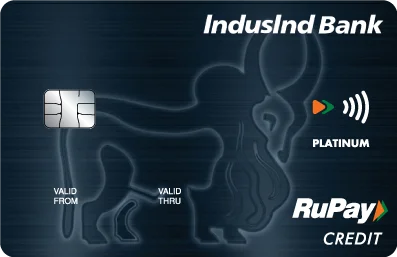
IndusInd Platinum RuPay Credit Card

Pay Now with UPI on your IndusInd Bank Platinum RuPay Credit Card.

Key Feature and Benefits
  • Credit Card enabled on UPI
  • Earn 2 Reward Points on every ₹ 100 transaction done through UPI
  • Fuel Surcharge Waiver
FD Rate FD Rate
FD Rate
Regular Fixed Deposit

up to 7%* interest p.a

Senior Citizen

up to 7.75%* interest p.a

BOOK FD